This page contains the defined functional and non-functional requirements of the TECHCUP Football Platform.
Functional requirements describe the system functionalities and services that must be provided to support tournament organization and participant interaction.
Non-functional requirements describe the quality attributes and architectural constraints that the TECHCUP system must satisfy in order to ensure reliability, security, and proper system operation.
Below is the list of all requirements classified according to their type.
Functional requirements list
| ID | Requirement name |
|---|---|
| FR-01 | User registration |
| FR-02 | User authentication |
| FR-03 | Sports profile management |
| FR-04 | Player availability management |
| FR-05 | Team creation |
| FR-06 | Team configuration |
| FR-07 | Player search |
| FR-08 | Team invitation management |
| FR-09 | Team membership validation |
| FR-10 | Payment receipt upload |
| FR-11 | Payment validation |
| FR-12 | Tournament configuration |
| FR-13 | Team lineup management |
| FR-14 | Opponent lineup consultation |
| FR-15 | Match result registration |
| FR-16 | Match result registration |
| FR-17 | Match consultation for referees |
| FR-18 | Standings calculation |
| FR-19 | Knockout bracket generation |
| FR-20 | Tournament statistics consultation |
Non-functional requirements
| ID | Requirement Name |
|---|---|
| NFR-01 | Role-based access control |
| NFR-02 | Audit logging |
| NFR-03 | REST API architecture |
| NFR-04 | Layered backend architecture |
| NFR-05 | Web frontend technology |
| NFR-06 | Database technology |
| NFR-07 | System performance |
| NFR-08 | System availability |
| NFR-09 | System security |
FR-01 - User registration
| Field | Description |
|---|---|
| ID | FR-01 |
| *Requirement name** | User registration |
| Description | The system must allow users to register using institutional email accounts (students, graduates, professors, administrative staff) or personal Gmail accounts for family members. |
| Preconditions | The user must belong to one of the allowed categories: student, graduate, professor, administrative staff member or family member. |
| Actor | Participant |
| Main flow | 1. The actor accesses the registration page. 2. The actor enters the required personal information. 3. The actor submits the registration form. 4. The system validates the information. 5. The system creates the user account successfully. |
| Use case diagram | 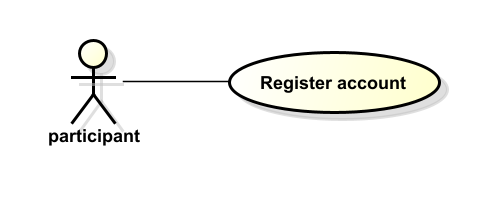 |
| Postconditions | The user account is created and the participant access the system. |
FR-02 - User authentication
| Field | Description |
|---|---|
| ID | FR-02 |
| Requirement name | User authentication |
| Description | The system must allow registered users to authenticate in the platform using their credentials in order to access the system functionalities according to their role. |
| Preconditions | The user must already be registered in the system and have valid login credentials. |
| Actor | Participant, Captain, Organizer, Referee, Administrator |
| Main flow | 1. The actor accesses the login page. 2. The actor enters their credentials. 3. The system validates the credentials. 4. The system grants access according to the user’s role. |
| Use case diagram | 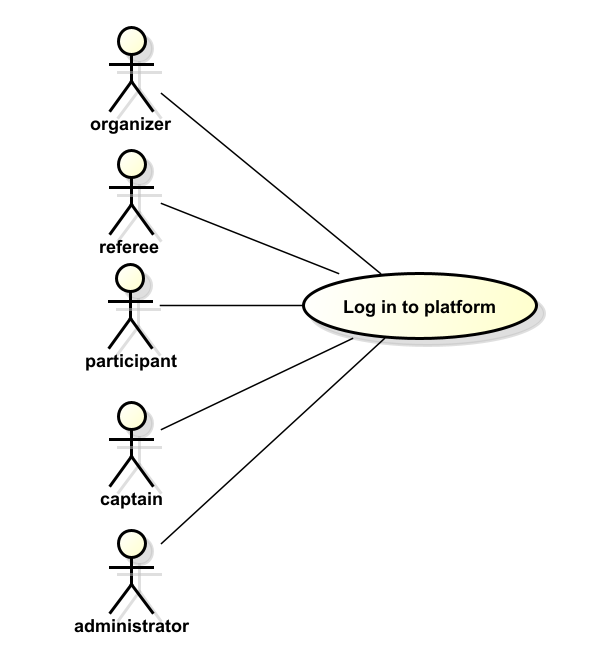 |
| Postconditions | The authenticated user gains access to the platform and can interact with the system according to their permissions. |
FR-03 - Sports profile management
| Field | Description |
|---|---|
| ID | FR-03 |
| Requirement name | Sports profile management |
| Description | The system must allow participants to create and update their sports profile, including playing positions, jersey number, and profile photo. |
| Preconditions | The participant must be authenticated in the system. |
| Actor | Participant |
| Main flow | 1. The participant accesses the profile management section. 2. The participant enters or updates sports profile information. 3. The participant saves the changes. 4. The system validates and stores the information. |
| Use case diagram | 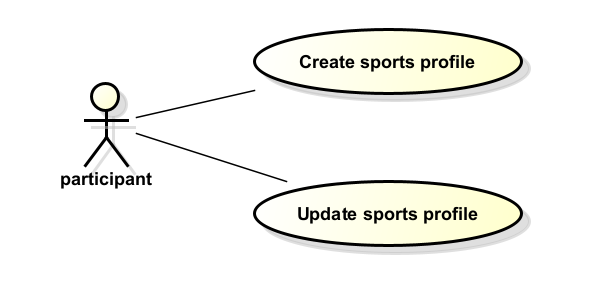 |
| Postconditions | The participant’s sports profile information is stored and available for team captains to consult. |
FR-04 - Player availability management
| Field | Description |
|---|---|
| ID | FR-04 |
| Requirement name | Player availability management |
| Description | The system must allow participants to indicate their availability to join a team so that captains can contact them. |
| Preconditions | The participant must be authenticated and have a completed sports profile. |
| Actor | Participant |
| Main flow | 1. The participant accesses the availability settings. 2. The participant marks themselves as available for recruitment. 3. The system updates the availability status. |
| Use case diagram | 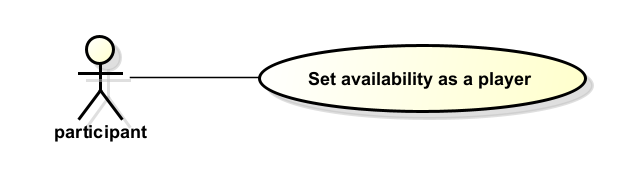 |
| Postconditions | The participant appears as available for team recruitment searches performed by captains. |
FR-05 - Team creation
| Field | Description |
|---|---|
| ID | FR-05 |
| Requirement name | Team creation |
| Description | The system must allow a participant acting as a captain to create a team for the tournament. |
| Preconditions | The participant must be authenticated and must not belong to another team. |
| Actor | Captain |
| Main flow | 1. The captain accesses the team creation interface. 2. The captain enters the required team information. 3. The captain confirms the creation of the team. 4. The system validates the information and creates the team. |
| Use case diagram | 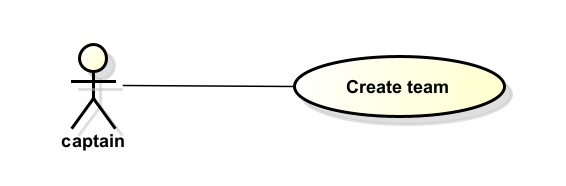 |
| Postconditions | A new team is created in the system and the captain becomes the team manager. |
FR-06 - Team configuration
| Field | Description |
|---|---|
| ID | FR-06 |
| Requirement name | Team configuration |
| Description | The system must allow captains to configure their team information, including team name, crest, and uniform colors. |
| Preconditions | The captain must have an existing team and be authenticated in the system. |
| Actor | Captain |
| Main flow | 1. The captain accesses the team configuration page. 2. The captain enters or updates team information. 3. The captain saves the changes. 4. The system validates and stores the updated information. |
| Use case diagram | 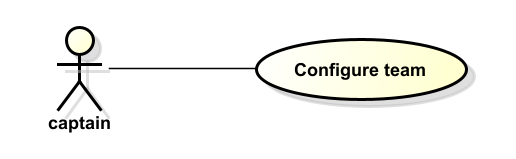 |
| Postconditions | The team information is updated and available to other participants in the platform. |
FR-07 - Player search
| Field | Description |
|---|---|
| ID | FR-07 |
| Requirement name | Player search |
| Description | The system must allow captains to search for participants using filters such as playing position, semester, age, gender, name, or identification number. |
| Preconditions | The captain must be authenticated and have a team created. |
| Actor | Captain |
| Main flow | 1. The captain accesses the player search interface. 2. The captain selects the desired search filters. 3. The system processes the query. 4. The system displays a list of matching participants. |
| Use case diagram | 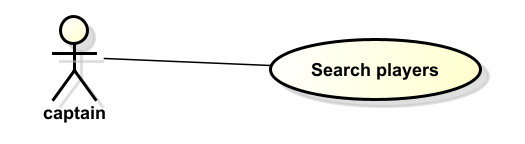 |
| Postconditions | The captain can view a list of participants matching the search criteria. |
FR-08 - Team invitation management
| Field | Description |
|---|---|
| ID | FR-08 |
| Requirement name | Team invitation management |
| Description | The system must allow captains to send invitations to participants and allow participants to accept or reject those invitations. |
| Preconditions | The captain must have a team created and the participant must be available for recruitment. |
| Actor | Captain, Participant |
| Main flow | 1. The captain selects a participant from the search results. 2. The captain sends an invitation to join the team. 3. The participant receives the invitation. 4. The participant accepts or rejects the invitation. 5. The system updates the team roster accordingly. |
| Use case diagram | 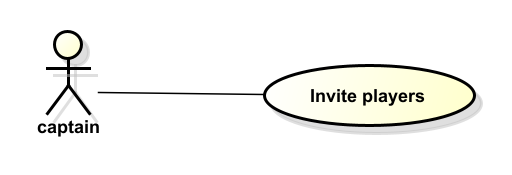 |
| Postconditions | If accepted, the participant becomes a member of the team. |
FR-09 - Team membership validation
| Field | Description |
|---|---|
| ID | FR-09 |
| Requirement name | Team membership validation |
| Description | The system must validate that participants belong to only one team and that the team complies with the minimum (7) and maximum number of players (12) allowed. |
| Preconditions | A participant attempts to join a team through an accepted invitation. |
| Actor | System |
| Main flow | 1. The participant accepts a team invitation. 2. The system verifies whether the participant already belongs to another team. 3. The system validates that the team roster size is within the allowed limits. 4. The system confirms or rejects the membership accordingly. |
| Use case diagram | 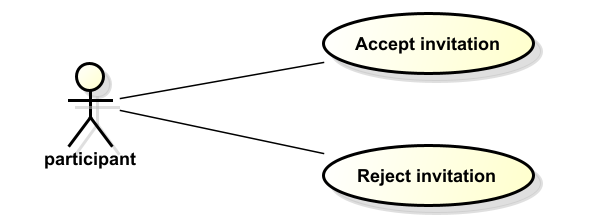 |
| Postconditions | The participant is successfully added to the teajam or the system prevents the action if the validation rules are not satisfied. |
FR-10 - Payment receipt upload
| Field | Description |
|---|---|
| ID | FR-10 |
| Requirement name | Payment receipt upload |
| Description | The system must allow the captain or participant to upload proof of payment for the team registration fee. |
| Preconditions | The captain must have a team registered in the tournament. |
| Actor | Captain |
| Main flow | 1. The captain accesses the payment submission interface. 2. The captain uploads the payment receipt. 3. The system validates the file format. 4. The system stores the receipt and marks the payment as pending review. |
| Use case diagram | 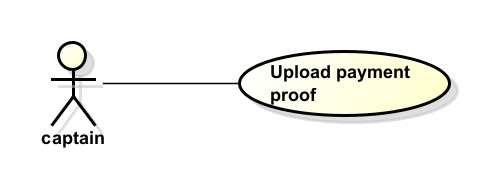 |
| Postconditions | The payment receipt is stored and awaits review by the tournament organizer. |
FR-11 - Payment validation
| Field | Description |
|---|---|
| ID | FR-11 |
| Requirement name | Payment validation |
| Description | The system must allow the organizer to review uploaded payment receipts and update their status as approved or rejected. |
| Preconditions | A payment receipt must have been uploaded by a team captain and be pending review. |
| Actor | Organizer |
| Main flow | 1. The organizer accesses the payment review section. 2. The system displays the list of pending payment receipts. 3. The organizer selects a receipt. 4. The organizer reviews the payment information. 5. The organizer approves or rejects the payment. 6. The system updates the payment status. |
| Use case diagram | 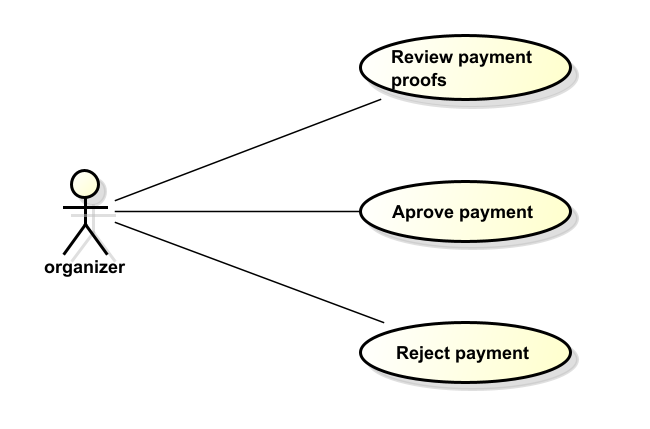 |
| Postconditions | The payment status is updated and the corresponding team is notified of the decision. |
FR-12 - Tournament creation
| Field | Description |
|---|---|
| ID | FR-12 |
| Requirement name | Tournament creation |
| Description | The system must allow the organizer to create a new tournament by defining basic information such as name, start date, end date, and number of teams. |
| Preconditions | The organizer must be authenticated in the system. |
| Actor | Organizer |
| Main flow | 1. The organizer accesses the tournament management section. 2. The organizer selects the option to create a new tournament. 3. The organizer enters the required tournament information. 4. The organizer confirms the creation. 5. The system validates and stores the tournament information. |
| Use case diagram | 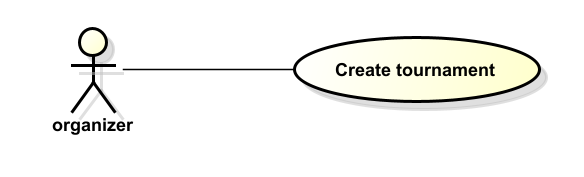 |
| Postconditions | A new tournament is created and becomes available in the system. |
FR-13 - Tournament configuration
| Field | Description |
|---|---|
| ID | FR-13 |
| Requirement name | Tournament configuration |
| Description | The system must allow the organizer to configure tournament parameters such as rules, registration deadlines, match schedules, and playing fields. |
| Preconditions | A tournament must already exist and the organizer must be authenticated. |
| Actor | Organizer |
| Main flow | 1. The organizer accesses the tournament configuration section. 2. The organizer selects a tournament. 3. The organizer defines the rules and tournament parameters. 4. The organizer saves the configuration. 5. The system validates and stores the configuration. |
| Use case diagram | 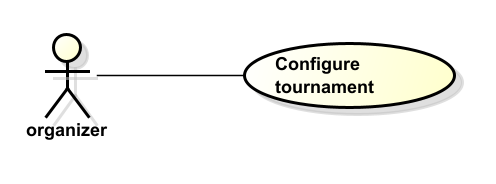 |
| Postconditions | The tournament configuration is updated and applied to the competition. |
FR-14 - Team lineup management
| Field | Description |
|---|---|
| ID | FR-14 |
| Requirement name | Team lineup management |
| Description | The system must allow captains to define the lineup for each match, including starters, substitutes, and player positions. |
| Preconditions | The captain must have a registered team participating in the tournament. |
| Actor | Captain |
| Main flow | 1. The captain accesses the lineup management section. 2. The captain selects the match. 3. The captain assigns players to starting and substitute positions. 4. The captain confirms the lineup. 5. The system stores the lineup information. |
| Use case diagram | 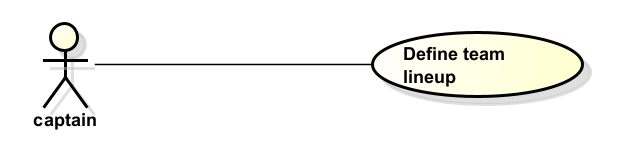 |
| Postconditions | The lineup for the selected match is registered and available for consultation. |
FR-15 - Opponent lineup consultation
| Field | Description |
|---|---|
| ID | FR-15 |
| Requirement name | Opponent lineup consultation |
| Description | The system must allow participants and captains to view the lineup of the opposing team before a match. |
| Preconditions | The lineup must have been previously registered by the opposing team. |
| Actor | Participant, Captain |
| Main flow | 1. The actor accesses the match information section. 2. The actor selects the match. 3. The system displays the lineup of both teams. |
| Use case diagram | 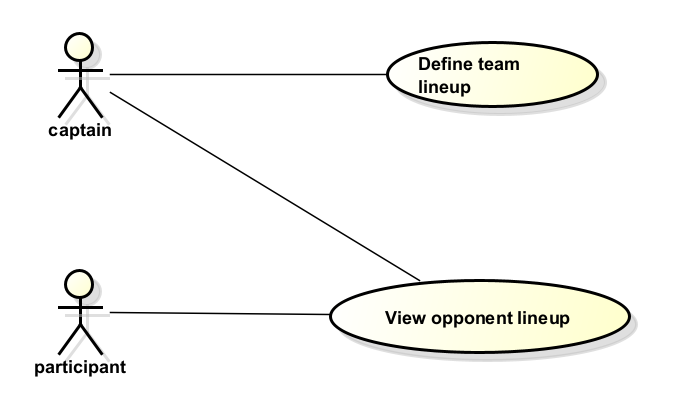 |
| Postconditions | The actor can view the opposing team’s lineup. |
FR-16 - Match result registration
| Field | Description |
|---|---|
| ID | FR-16 |
| Requirement name | Match result registration |
| Description | The system must allow the organizer to register match results including goals, scorers, and disciplinary cards. |
| Preconditions | The match must have been previously scheduled in the system. |
| Actor | Organizer |
| Main flow | 1. The organizer accesses the match management section. 2. The organizer selects the completed match. 3. The organizer enters the match result and relevant statistics. 4. The organizer confirms the information. 5. The system stores the match results. |
| Use case diagram | 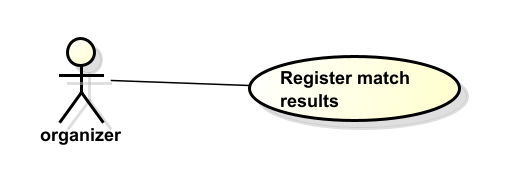 |
| Postconditions | The match results and statistics are recorded in the system. |
FR-17 - Match consultation for referees
| Field | Description |
|---|---|
| ID | FR-17 |
| Requirement name | Match consultation for referees |
| Description | The system must allow referees to consult match schedules including date, time, field, and teams involved. |
| Preconditions | The referee must be authenticated in the system and matches must be scheduled. |
| Actor | Referee |
| Main flow | 1. The referee accesses the match consultation section. 2. The referee selects the relevant match. 3. The system displays the match information. |
| Use case diagram | 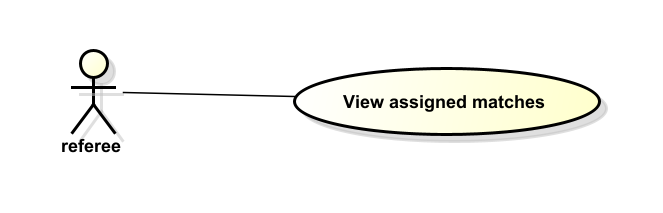 |
| Postconditions | The referee can view the details of the match to be officiated. |
FR-18 - Standings calculation
| Field | Description |
|---|---|
| ID | FR-18 |
| Requirement name | Standings calculation |
| Description | The system must automatically calculate tournament standings based on match results. |
| Preconditions | Match results must have been registered in the system. |
| Actor | System |
| Main flow | 1. Match results are registered in the system. 2. The system calculates statistics such as matches played, wins, draws, losses, goals for, goals against, and points. 3. The system updates the tournament standings table. |
| Use case diagram | 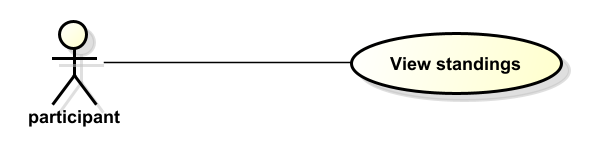 |
| Postconditions | The standings table is updated and available for consultation. |
FR-19 - Knockout bracket generation
| Field | Description |
|---|---|
| ID | FR-19 |
| Requirement name | Knockout bracket generation |
| Description | The system must automatically generate knockout stage brackets including quarterfinals, semifinals, and final matches. |
| Preconditions | The group stage of the tournament must be completed and standings must be available. |
| Actor | System |
| Main flow | 1. The system identifies the qualified teams. 2. The system generates the knockout bracket structure. 3. The system schedules the corresponding matches. |
| Use case diagram | 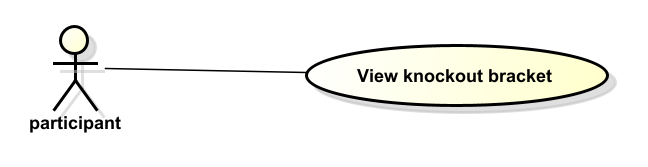 |
| Postconditions | The knockout stage matches are created and visible in the tournament schedule. |
FR-20 - Tournament statistics consultation
| Field | Description |
|---|---|
| ID | FR-20 |
| Requirement name | Tournament statistics consultation |
| Description | The system must allow users to consult tournament statistics such as top scorers, match history, and team performance. |
| Preconditions | Match results and statistics must be available in the system. |
| Actor | Participant, Captain, Organizer |
| Main flow | 1. The actor accesses the statistics section. 2. The actor selects the desired statistics category. 3. The system retrieves and displays the statistics. |
| Use case diagram | 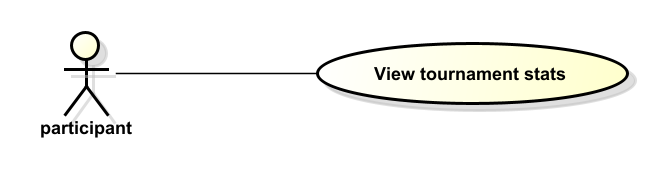 |
| Postconditions | The requested tournament statistics are displayed to the user. |
NFR-01 - Role-based access control
| Field | Description |
|---|---|
| ID | NFR-01 |
| Requirement Name | Role-based access control |
| Description | The system must enforce role-based access control to ensure that users can only access functionalities permitted by their role. |
| Preconditions | Users must be authenticated in the system. |
| Actor | Administrator |
| Main Flow | 1. A user attempts to access a system function. 2. The system verifies the user role. 3. The system checks whether the role has permission for the requested action. 4. The system allows or denies access accordingly. |
| Use Case Diagram | 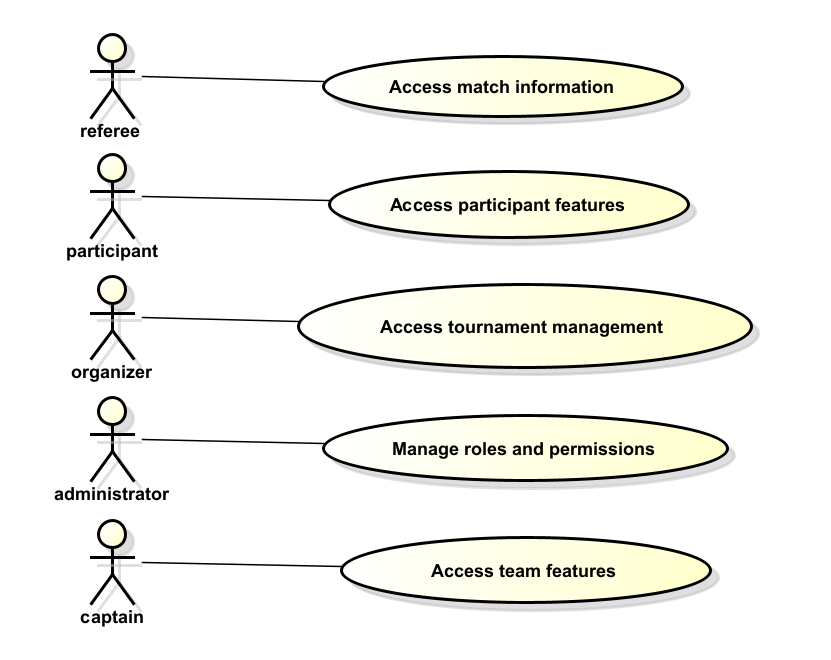 |
| Postconditions | System access is restricted according to the permissions assigned to each role. |
NFR-02 - Audit logging
| Field | Description |
|---|---|
| ID | NFR-02 |
| Requirement Name | Audit logging |
| Description | The system must maintain audit logs of relevant actions performed by users in order to ensure traceability and security monitoring. |
| Preconditions | Users must be interacting with the platform. |
| Actor | Administrator |
| Main Flow | 1. A user performs an action within the system. 2. The system records the action in the audit log. 3. The administrator can consult the recorded logs. |
| Use Case Diagram | 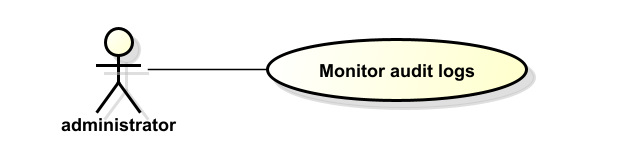 |
| Postconditions | Relevant system actions are recorded and available for administrative monitoring. |
NFR-03 - REST API architecture
| Field | Description |
|---|---|
| ID | NFR-03 |
| Requirement Name | REST API architecture |
| Description | The backend of the system must expose its functionality through a REST API to enable communication between the frontend and backend services. |
| Preconditions | The system backend must be deployed and available. |
| Actor | System |
| Main Flow | 1. The frontend sends a request to the REST API. 2. The backend processes the request. 3. The system returns a response to the client application. |
| Use Case Diagram | Not applicable for this requirement. |
| Postconditions | System services are accessible through RESTful endpoints. |
NFR-04 - Layered backend architecture
| Field | Description |
|---|---|
| ID | NFR-04 |
| Requirement Name | Layered backend architecture |
| Description | The backend must follow a layered architecture separating controllers, adapters, business logic, and data access components. |
| Preconditions | The system architecture must be defined. |
| Actor | System |
| Main Flow | 1. The system receives a request. 2. The controller processes the request. 3. The business logic layer handles the operation. 4. The data layer stores or retrieves information. |
| Use Case Diagram | Not applicable for this requirement. |
| Postconditions | System components interact through well-defined architectural layers. |
NFR-05 - Web frontend technology
| Field | Description |
|---|---|
| ID | NFR-05 |
| Requirement Name | Web frontend technology |
| Description | The frontend must be implemented as a web application using React and TypeScript. |
| Preconditions | Frontend development environment must be configured. |
| Actor | System |
| Main Flow | 1. The user accesses the web platform. 2. The React application renders the interface. 3. The frontend communicates with the backend through API requests. |
| Use Case Diagram | Not applicable for this requirement. |
| Postconditions | Users interact with the system through a web-based interface. |
NFR-06 - Database technology
| Field | Description |
|---|---|
| ID | NFR-06 |
| Requirement Name | Database technology |
| Description | The system must store and manage persistent data using PostgreSQL as the database management system. |
| Preconditions | The database service must be available. |
| Actor | System |
| Main Flow | 1. The system receives a request to store or retrieve data. 2. The backend communicates with the database. 3. The database returns the requested information. |
| Use Case Diagram | Not applicable for this requirement. |
| Postconditions | System data is persistently stored and retrievable. |
NFR-07 - System performance
| Field | Description |
|---|---|
| ID | NFR-07 |
| Requirement Name | System performance |
| Description | The system must process user requests efficiently and return responses within an acceptable time limit under normal operating conditions. |
| Preconditions | The system is running and receiving requests from users. |
| Actor | System |
| Main Flow | 1. A user performs an action on the platform. 2. The system processes the request. 3. The system returns a response to the user interface within the defined response time. |
| Use Case Diagram | Not applicable for this requirement. |
| Postconditions | User requests are processed and responses are delivered without noticeable delay. |
NFR-08 - System availability
| Field | Description |
|---|---|
| ID | NFR-08 |
| Requirement Name | System availability |
| Description | The system must remain available for users during the tournament registration and operation periods. |
| Preconditions | The system infrastructure must be deployed and operational. |
| Actor | System |
| Main Flow | 1. Users access the platform. 2. The system processes requests continuously during operational hours. 3. The system remains accessible to users without unexpected interruptions. |
| Use Case Diagram | Not applicable for this requirement. |
| Postconditions | Users can access the platform whenever the system is expected to be operational. |
NFR-09 - System security
| Field | Description |
|---|---|
| ID | NFR-09 |
| Requirement Name | System security |
| Description | The system must protect user information and system resources by enforcing secure authentication and authorization mechanisms. |
| Preconditions | Users must attempt to access protected resources within the platform. |
| Actor | System |
| Main Flow | 1. A user attempts to access a system resource. 2. The system verifies authentication credentials. 3. The system checks the user’s permissions. 4. The system allows or denies access accordingly. |
| Use Case Diagram | Not applicable for this requirement. |
| Postconditions | System resources remain protected and only authorized users can access restricted functionalities. |