Actors represent the external entities that interact with the TECHCUP system. Each actor performs specific actions within the platform according to their role and permissions.
Table of actors
The following actors interact with the TECHCUP web application:
| Role | Description |
|---|---|
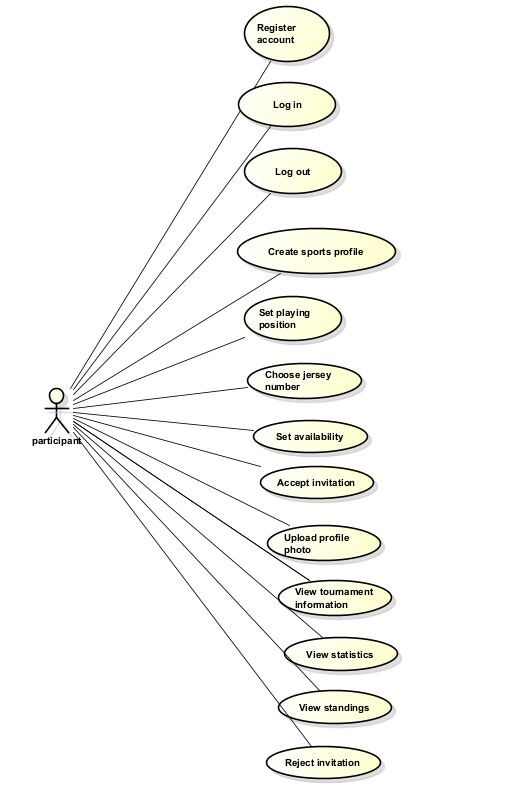
| Participant | User who registers in the system to participate in the tournament as a player. This actor may be a student, graduate, professor, administrative staff member, or family member. |
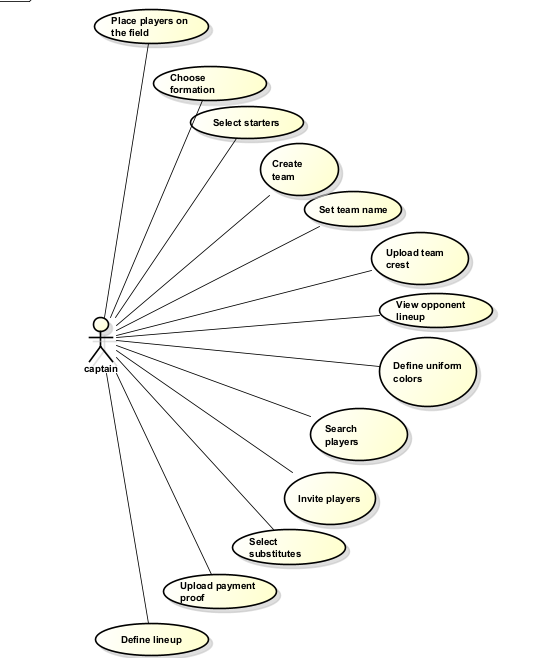
| Captain | Participant responsible for creating and managing a team. |
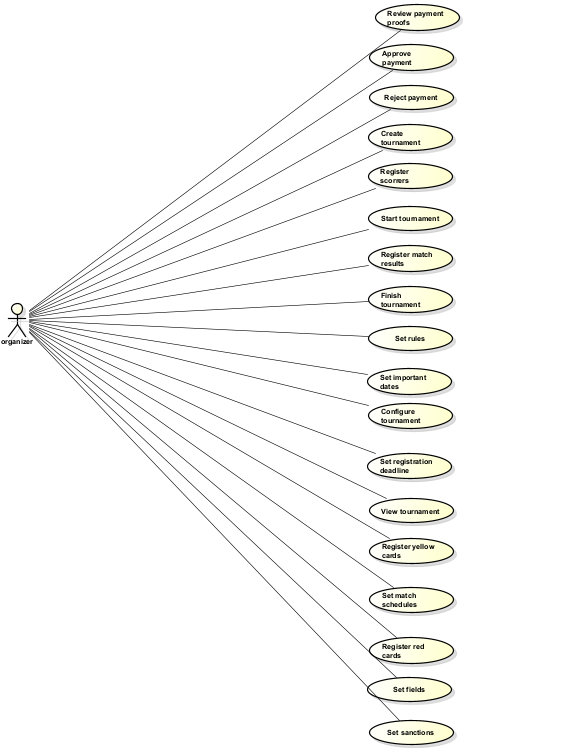
| Organizer | User responsible for configuring and managing the tournament. |
| Referee | User responsible for consulting match information and officiating games. |
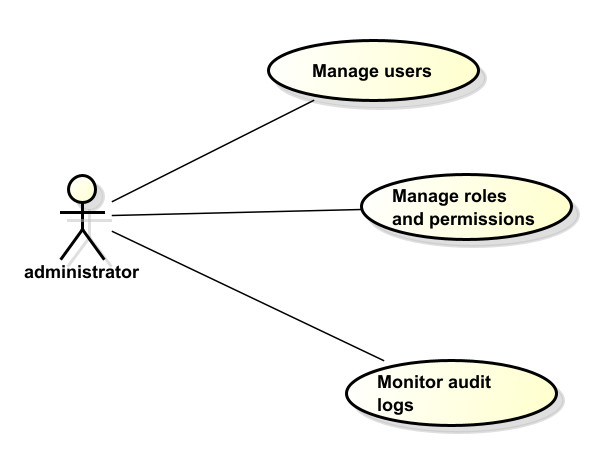
| Administrator | User responsible for system administration, security monitoring, and audit log management. |
Types of participants
| Role | Description |
|---|---|
| Student | Current student of the institution. |
| Graduate | Student who graduated from the institution. |
| Professor | Academic staff member of the institution. |
| Administrative Staff | Non-academic staff member of the institution. |
| Family Member | Relative of a student, graduate, professor, or administrative staff member. |
All these actors are eligible to be a Captain
Description of the actors
- Participant
A user who registers in the platform to participate in the tournament as a player. Participants can create a sports profile, indicate their playing position, join a team, and participate in matches.
- Captain
A participant who has additional permissions to create and manage a team. The captain can invite players, configure team information, and define the lineup before matches.
- Organizer
The organizer is responsible for managing the tournament configuration, including scheduling matches, defining rules, reviewing payments, and managing the overall tournament lifecycle.
- Referee
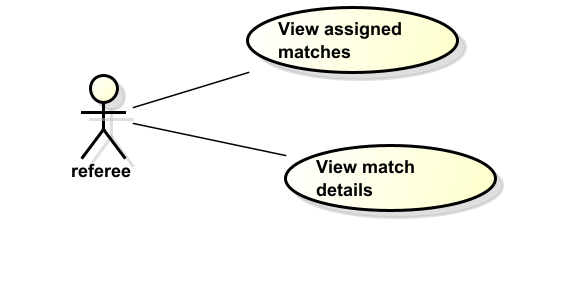
The referee consults match schedules and relevant match information in order to officiate games during the tournament.
- Administrator
The administrator manages system-level operations such as user permissions, system monitoring, and audit log management.
The TECHCUP Football Platform uses a role-based access control model to regulate user interactions with the system. Each role has specific permissions that determine which functionalities can be accessed.
These permissions ensure that users can only perform actions appropriate to their responsibilities within the tournament management process.
Roles and permissions matrix
| Functionality | Participant | Captain | Organizer | Referee | Administrator |
|---|---|---|---|---|---|
| Register account | ✓ | ✓ | ✓ | ✓ | ✓ |
| Log in to platform | ✓ | ✓ | ✓ | ✓ | ✓ |
| Create sports profile | ✓ | ✓ | |||
| Set availability as player | ✓ | ✓ | |||
| Respond to invitations | ✓ | ✓ | |||
| View tournament information | ✓ | ✓ | ✓ | ✓ | ✓ |
| Create team | ✓ | ||||
| Configure team | ✓ | ||||
| Search players | ✓ | ||||
| Invite players | ✓ | ||||
| Upload payment proof | ✓ | ||||
| Define team lineup | ✓ | ||||
| Create tournament | ✓ | ||||
| Configure tournament | ✓ | ||||
| Review payment proofs | ✓ | ||||
| Register match results | ✓ | ||||
| View assigned matches | ✓ | ||||
| Manage roles and permissions | ✓ | ||||
| Monitor audit logs | ✓ |
Use case diagrams
The permissions described above correspond to the interactions illustrated in the use case diagrams included below.
Each role interacts with the system according to the permissions defined in the roles and permissions matrix.
Use case Participant
Use case Captain
Use case Organizer
Use case Referee
Use case Administrator